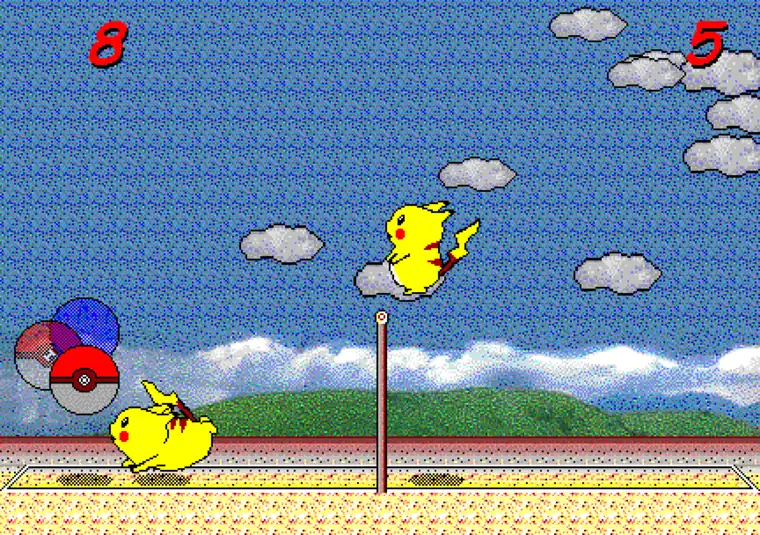
- Where to enable it
- Options → Practice mode → on
- Good starting score
- 5 points for a short session
- Best first goal
- Arc reading, jump timing, and recovery
- Input
- Keyboard controls in the browser edition
What is Pikachu Volleyball practice mode?
Pikachu Volleyball practice mode is a setting for repeating a skill without treating every rally as a serious match. The official web project describes it as an addition that was not in the original game and gives the exact path: open Options, choose Practice mode, and switch it to on. That means you do not need a separate download or an unknown executable to use the feature.
Use each session to observe one variable: ball drop, jump height, landing point, or time to regain balance. This page covers setup and training workflow; tips and tricks remain the place for broader attacking strategy.
It is not invincibility or replay. Collisions, the net, keyboard focus, and scoring still follow the browser version. Treat a miss as feedback tied to one position or timing choice.
- It is an extra feature in the web edition, not the 1997 original.
- Enable it directly from the Options menu.
- Study the arc, contact height, landing position, and recovery.
- Normal collision and input behavior still applies.
How to turn on practice mode
Open the browser game and click the play area once so the canvas receives keys. Test movement before changing settings; a Bluetooth keyboard may be needed on mobile.
Open Options, set Practice mode to on, close the menu, and try one return. If a key fails, refresh, click the game, and repeat the path.
Start at five points and choose speed before playing. Changing a target mid-match may warn when a player has reached the new limit.
- Click the game area to establish keyboard focus.
- Select Options → Practice mode → on.
- Test one rally to confirm the menu change.
- Start with a five-point session and record the settings.
- Refresh and restore focus before diagnosing a strategy mistake.
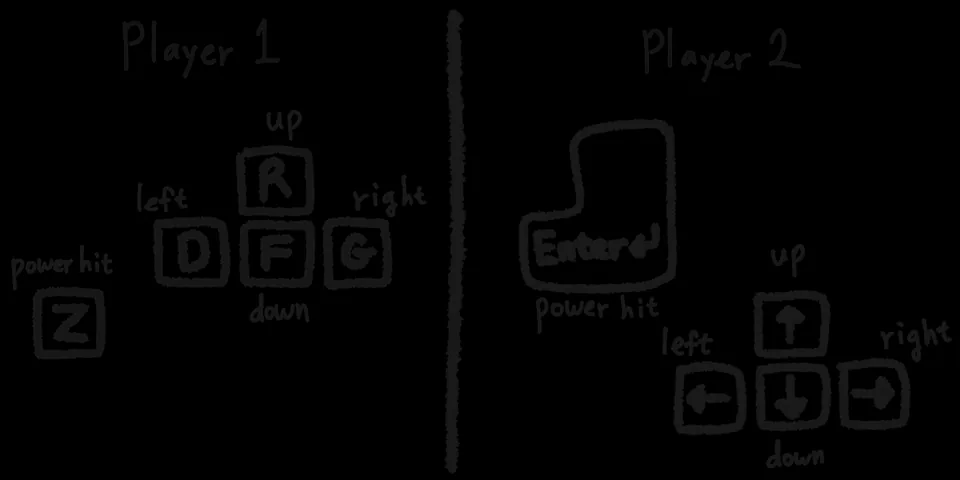
Choosing speed and winning-score settings
Your first training goal is to reproduce a situation, not to win as quickly as possible. A faster ball asks for earlier movement and faster decisions, but it can hide the reason for a miss. Begin at the default or slower speed while you learn the landing area. Increase speed only after you can repeat the same contact height several times.
The winning score controls session length. Five points is useful for one experiment, ten points gives you a realistic rhythm, and fifteen points is close to the classic default match. Lowering the score does not change the collision physics, so keep score and speed in separate notes when you compare sessions.
- Use slower speed for diagnosis and faster speed for reaction work.
- Five points is short enough to test one idea.
- Lock speed and score before a session starts.
- Track repeatable actions rather than treating a setting as skill.
| Goal | Score | Speed | Watch for |
|---|---|---|---|
| Read the arc | 5 | Slow or default | Landing point and first move |
| Repeat jump timing | 5–10 | Default | Contact height and landing |
| Recover after defense | 10 | Default or fast | Return to mid-court |
| Transfer to matches | 15 | Fast | Keep the routine under pressure |
Three drills that work well in practice mode
Start with an arc drill. Stay near center, predict the landing while the ball rises, move once, return the ball, and recover. Repeat five correct predictions before increasing speed.
Next, repeat one jump height. Move in one direction and jump when the ball is in front; early and late jumps miss different contact points. Count three similar contacts, then check the landing.
Finish with defense and recovery: move forward for a short ball, leave space for a deep one, and return to center after a safe shot. This builds the movement used by the strategy guide.
- Arc drill: predict, move once, receive, and recover.
- Jump drill: repeat one contact height three times.
- Recovery drill: return to center before admiring the shot.
- Finish each drill after one five-point session and write down the result.
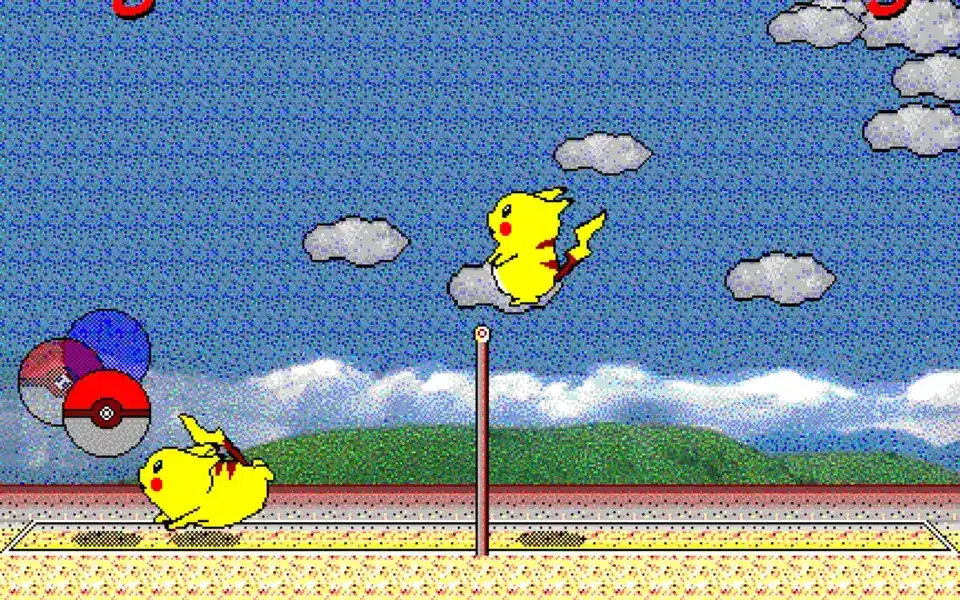
Check keyboard focus before blaming the drill
Separate input faults from training choices. Click the game, then test movement, jump, and down input before starting.
In local two-player play, inexpensive keyboards may miss simultaneous keys. Try another keyboard or confirm the layout before blaming timing; slower speed will not fix lost input.
Touch does not replace the keyboard on every phone. The official web edition supports Bluetooth keyboards; use a larger display when the arc is hard to read.
Common practice-mode problems
If Practice mode is missing, open the verified browser edition and inspect its Options menu. An old executable may use a different menu.
If the score still changes, that is expected. Set five points and track consecutive returns, contact height, or clean recoveries instead.
If input stops, refresh, click the game, and check other tabs or extensions. Record the browser, keyboard, and exact key sequence if it repeats.
- Practice mode is not an invincibility or no-score mode.
- Use the current browser edition rather than an unverified EXE.
- Restore focus after a refresh before changing strategy.
- Check extensions and other tabs for intercepted keys.
- Write down the browser, keyboard, and reproducible input.
A 15-minute routine and a useful handoff
Spend three minutes keeping the ball playable, then repeat one jump height from minutes three to seven. Note the position before a miss, not only wins.
From minutes seven to eleven, separate short and deep defense. Raise speed for the final four minutes and link the habits. If control collapses, return to the previous speed.
Turn practice off and play one normal game. Use tips for unclear strategy and controls when a key response fails.
- 0–3 minutes: read the arc and recover to center.
- 3–7 minutes: repeat one jump height.
- 7–11 minutes: separate short and deep defense.
- 11–15 minutes: link the habits at higher speed.
- Finish with one normal game to test transfer.
Limits, related guides, and safe sources
Practice mode does not launch custom balls, freeze positions, or replay serves. Recreate a similar height and location yourself so different bounces are not mistaken for setting errors.
After input is stable, use tips for positioning, tricks for short balls, rules for scoring, and multiplayer when a friend joins. Each guide has a separate job.
Use the verified browser edition and project repository. Random executables may expose another menu or key map.